WordPress 7.0 will be a major update, with the official full version scheduled for release on April 9, 2026. This launch will take place during WordCamp Asia 2026 in Mumbai, India. We have summarized the 6 key features as follows:
Table of content
1. Native AI System
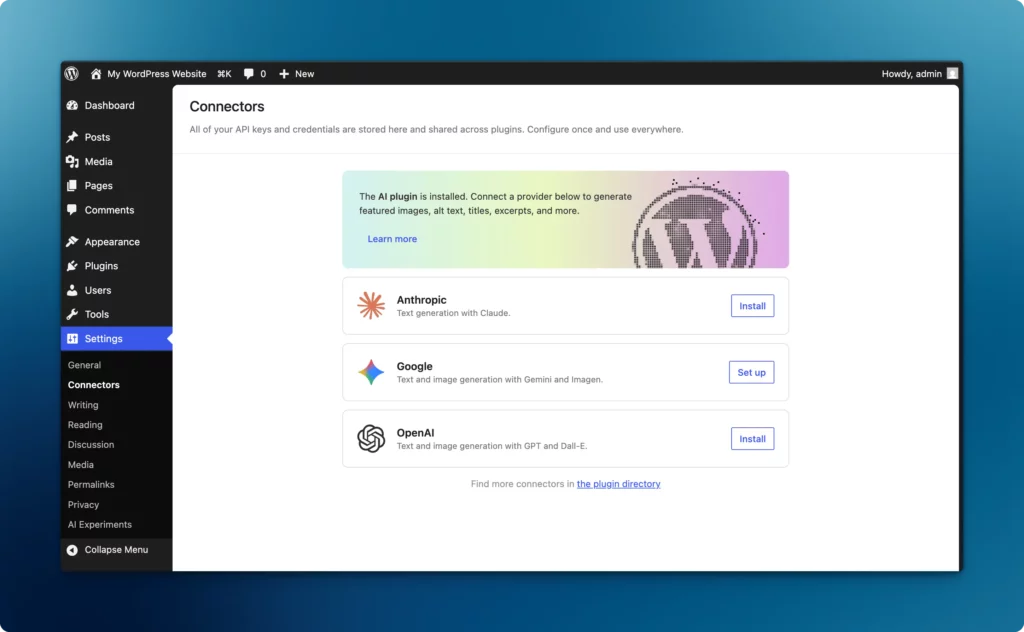
The new AI infrastructure system in WordPress makes it easier for developers to work through the WP AI Client, a central API used to conveniently connect with various AI providers such as OpenAI, Claude, or Gemini without having to write all the connection code themselves.
The management of these external API keys will be centralized on the Connectors Settings page, designed to support both AI and other services in the future. Additionally, there is the Abilities API system, which allows Plugins and Themes to communicate their functional capabilities in a format that AI understands, enabling AI to directly assist in content management or system commands on the website.
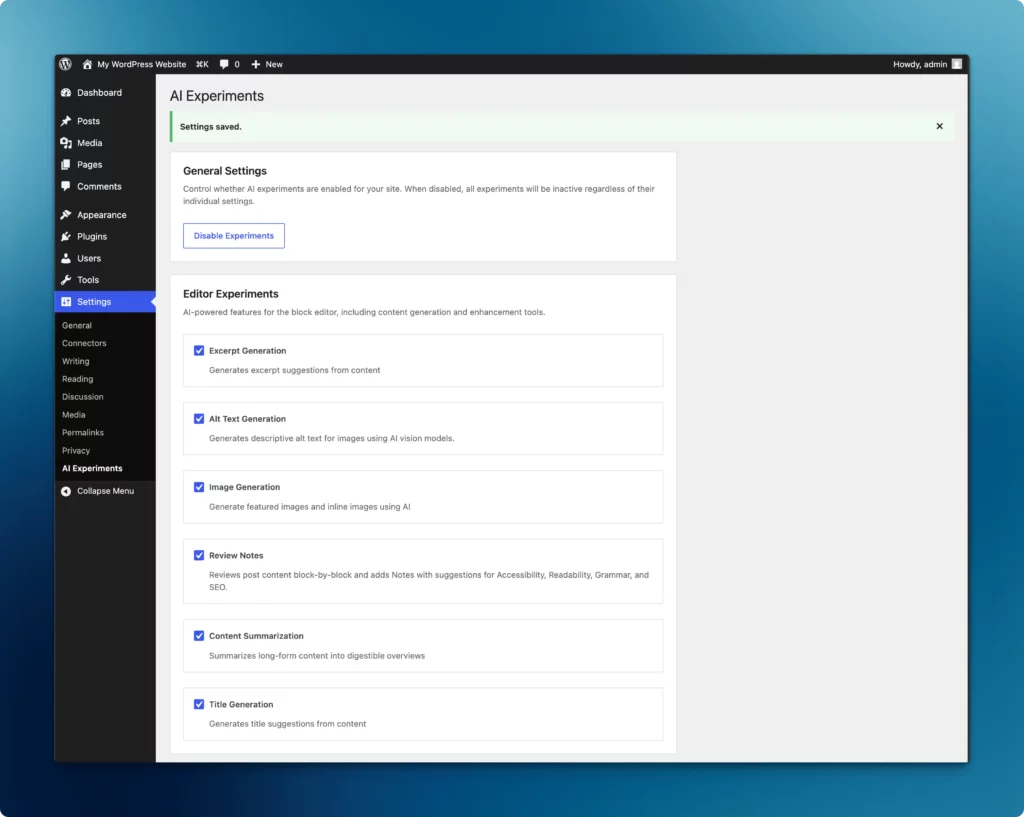
AI Experiments are being utilized as a set of experimental features that bring AI into practical tasks, such as automatic Excerpt writing, Alt Text generation for images, and article content summarization.
Example: Generating article titles from content
Example: Generating summaries from article content
Readers can try out these AI features via the AI Experiments /a>plugin, which must be installed alongside WordPress 7.0 (currently in Beta at the time of writing). Alternatively, you can test them out on Playground.
2. Real-time Collaboration
The system supports Multi-user Editing, allowing multiple people to edit content simultaneously on the same page, similar to Google Docs. This relies on WebSocket technology to manage real-time data synchronization, enabling users to see their teammates' typing status instantly.
Real-time Collaboration
The system also includes a Notes feature for adding comments or suggestions to communicate directly with team members within the editor. However, since this real-time connection requires high system resources, it may cause slow performance on budget-friendly hosting (Shared Hosting). Users can choose to enable or disable this feature themselves under Settings -> Writing.
3. Navigation and Mobile Menu System
The navigation system has been improved to support independent displays for desktop and mobile. Specifically, the mobile menu has been converted into a Template Part, allowing users to arrange and design various blocks—such as images, promotions, or social media buttons—as desired.
Mobile Menu is now customizable
Additionally, a Guardrails & Validation system has been added to help check and prevent broken links, while clearly displaying the page status (Draft, Published, or Trashed) on the toolbar to reduce confusion when links are not yet live on the actual website.
4. Design Controls and New Blocks
The new Gutenberg allows for settings to hide or show blocks directly based on screen size and supports per-block CSS customization via the Advanced tab. It also includes features such as indenting paragraphs and creating columns within a Paragraph block.
Blocks can now be hidden/shown based on device
Additionally, new blocks like Icon and Breadcrumbs have been added as core features.
5. Admin UI Improvements
The backend system has updated the Admin UI to be more modern, with adjusted spacing and typography for a cleaner look. View Transitions have been added for smoother page navigation, and Modern Revisions has been updated with a slider and color highlighting, making it easier than ever to view edit history.
Adjusted spacing and smoother transitions
6. Developer Tools
ระบบปรับความต้องการขั้นต่ำเป็น PHP 7.4 พร้อมรองรับ Playground & Zero Docker ผ่าน WP-ENV The system has updated minimum requirements to PHP 7.4 and supports Playground & Zero Docker via WP-ENV, allowing for faster development and testing without relying on Docker.
Furthermore, Cleaner HTML has been implemented in the editor, removing unnecessary wrapping divs for certain blocks so that the editor view matches the actual website as closely as possible. It also allows the use of AI-generated images in themes submitted to the Directory, provided they are clearly labeled and use a GPL license.